

Copier Rentals and the Modern Workplace
Copier Printer Future-How Is It Different?
Bradenton Copier Leasing-How Is Your Business Adapting?
Copiers and Printers Enhancing Workplace Changes
So, you and your co workers are introduced to the latest and greatest new sale and CRM software from the company who handles leasing office printers. Your boss sees this as the greatest idea since sliced bread. You all see it as “If it ain’t broke don’t fix it.” You are all very frustrated because you worked so hard to build a successful sales system over the past 10 years, and now he wants to gut it. On top of that, the new copier lease has to meet new standards to integrate into the software. This is the most common gripe of many customers, and we totally understand it. Don’t worry too much, because we are here to help. We can make your printer copier easily fit in, so it is one less thing you have to worry about. We also can help make your blueprint copier integrated.
IT professionals as well as companies without a dedicated network engineer, need their scanner printer to fit into the new security procedures of your company. With the new digital world, the need for extra security will only rise. Our office machines are super flexible with robust security options. As the copier rental Bradenton IT’s use, Gulf offers a full range of security measures for all of them.
Everyone has a mobile phone or tablet. How many of you surf the net or send snaps from your device? What if you want to print out that form from your kid’s school or from your vendor’s email, but you don’t want to re download it onto your PC or Mac at work. What a pain. You should be able to hit print on your phone, and it shoots out of the copier. Our machines don’t require silly little apps to print here and there. Just press print or scan and it’s connected. Whenyou lease a printer through Gulf, we make it smooth.
What documents do you print, but don’t want others accidentally picking them up? Maybe a check made out to another employee, or your personal bank account info, or maybe your confidential emails. Secure yourself from mistaken prints with features like secure print, where you input a code only you know, then the printer prints.
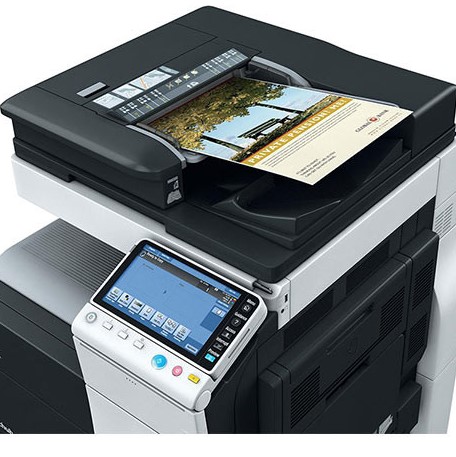
Using a Konica Minolta bizhub with your smartphone or tablet is one of the best ways to save time in a busy office. You can choose between native printing (no app required) or the Konica Minolta Mobile Print app for more advanced features like scanning.
Using Print or Share to Print on a bizhub
If you just need to print a PDF or photo quickly and your device is on the same Wi-Fi network as the bizhub, you don’t actually need an app.
iPhone/iPad (AirPrint): Open your document, tap the Share or Action icon, select Print, and choose your bizhub from the list of printers.
Android (Mopria): Most modern Android phones have the Mopria Print Service built-in. Open your file, tap the three dots (menu), select Print, and find your machine on the network.
Using the “Konica Minolta Mobile Print” App
For full control—especially scanning documents to your phone—you should download the official app from the Apple App Store or Google Play. This app does have it’s quirks, so we recommend simply using the share method on Android, and Print method on Iphones.
How to Print from the App
Open the App: Select “Print” from the home screen.
Choose your Content: Select Photos, Documents, or even a Web Page.
Add your Printer: If it’s your first time, tap the + icon. You can search for the printer automatically, type in its IP Address, or use the QR Code trick (see below).
Print: Adjust your settings (color, staples, duplex) and hit Print.5
How to Scan to your Phone
Load the Paper: Place your documents in the top feeder or on the glass.
Open the App: Select Scan from the main menu.
Adjust Settings: Choose your file format (PDF/JPEG) and resolution.
Start Scan: Tap Scan. The bizhub will begin scanning, and the file will appear on your phone screen.
Save/Share: Tap Save to keep it in the app’s “My Documents” folder, or tap Share to send it via Email, Text, or WhatsApp.
Quickly Pairing With Your Bizhub
Konica Minolta machines have built-in features to make connecting your phone simple:
QR Code Pairing: Tap the [Utility] button on the bizhub screen [Device Information]. If enabled, a QR code will appear. Open the Mobile Print app on your phone, select “Add Printer,” choose QR Code, and scan it.
NFC (Android Only): If your bizhub has a “Mobile Touch Area” (a small sticker near the screen), simply ensure NFC is on in your phone settings and tap your phone against that spot. The app will launch and connect automatically.
Network Requirements for Mobile Printing
Same Network: Your phone must be on the same Wi-Fi network as the printer. (If you are on “Guest Wi-Fi” and the printer is on the “Office Network,” they likely won’t see each other).
Admin Settings: If you can’t see the printer, a technician may need to enable AirPrint, Mopria, or NFC in the machine’s administrator settings.
Bradenton Copier Lease-Change is an Opportunity


How Educational Facilities Manage Print Costs
Bradenton Copier Rentals For Schools
Copier Leasing Bradenton-What do Schools Print?
Our Copiers Help Budget Costs
As a rule, schools need to have a budget for everything, because they need to be accountable to taxpayers. Our copy machine leasing and Managed Print Services help schools have fixed costs and payments. There will be no surprises with your copy machine lease here. For example, we structure all school laser printer rentals with a fixed payments. We set alerts on printer copiers so if a certain amount of prints are exceeded, then a notice goes out to the appropriate school employee, so they can control copy costs.
If you are a Bradenton school, do you want copier bills for thousands of dollars coming out of nowhere? Our document experts can tailor a Managed Print design to fit your needs. We can setup account codes, with countless variables to manage print type and amount. For example, each employee has a 4 digit code to copy or print, but unlimited scanning. Some employees are given color rights of up to 100 pages per month, and some are only allowed to scan and copy in black and white. The copy code combinations are literally endless. Many of Gulf’s office printers for rent will help you do this.
As Educators, we have to print and copy things, because our kids learn best by touching and feeling paper and pencil, but we must have limits. As a financial overseer in education, we need to control print and copy costs, but we want to let our teachers and aides feel like we are not micromanaging them. One way to have it both ways is to assign printing codes that aren’t visible to the user, but the user knows they are there. The codes can be input monthly into software to generate quick reports on copier printer costs. This way, if we see excessive printing, we can talk with the entire staff. The idea of deterrence in printing can go a long way.
Copier leasing using print management systems also protects the environment. Paper is mainly biodegradable and a renewable resource. If we use our paper wisely, we can use it forever. So let’s utilize our print management systems now, so we can use them later! Our document management software is available with all copier rentals Bradenton schools and businesses can use today.
How To Limit School Printing Costs With Access Codes
So what are access codes in printing? Access codes are one of the top ways to manage printing costs. While they may seem like a complicated solution, they are actually quite easy for your copier company to implement. And even better, account track(access codes for Konica Minolta) are very low cost, and many times free!
Witb account track, each person has a four to seven digit password. “1234” is not the best code to choose here, so make sure nobody knows your code, unless you want them to charge prints to you.
Each time the teacher, staff member, or pricipal needs to copy, scan, or fax(yes very rarely), they input the code into the copier, and they are allowed to do what they need. Best of all, each use is recorded and reported.
When someone needs to print from one of their computers, they just push print and everything is accounted for. Nobody has to put numbers into the driver, as this is done upon initially setting up the copier scanner.
What’s really cool is each person can have certain permissions, that only the administrator controls. For example, you want teachers to print in black, only 300 color prints per month, and full scanning rights, and double sided printing only to save paper.
What about support staff that print more in color? They get unlimited black and color printing, and don’t get to copy or scan.
The reporting for copy codes is awesome. It shows anything from number of 2 sided, color, faxes, scans, paper size used, date and time etc. It also can be integrated into your excel software for monthly audits. Copy and print access code can really save tons of money, time, and grief in schools. Our Konica minolta copier repair specialists can help you set this up.
Copier Rental Bradenton Schools

Printer Rental Types
Copier Rental-Short, Long, or Purchase
Bradenton Copier Leasing-How Is Your Business Adapting?
Printer Rentals Explained
As stated above, printer and copier rentals can be called many different things and have many different versions. We have a more in depth explanations of common copier rental questions here.
Question: So why would I get a long term copier rental when I can just lease a printer for say 10 months?
A 10 month printer rental will get you a good machine, albeit not the top notch professional copier, because what copier dealer wants to buy a machine, and get paid for only 10 months usage? They can try to lease it after the 10 months, but by that time it could have been used too much to re lease. A shorter term copier rental will cost you more. A longer term printer lease vs a printer for rent will get you a better machine at a lower price.
Question: What is included in my copier machine on rent??
There is a big misconception that all copier leases or printer rentals include all the maintenance like toners, drums, parts, labor etc. No maintenance is free. The price of the maintenance is just added to the copier amount. You can do a copier lease without the maintenance, but you are rolling the dice. Many dollar wise customers rent or lease a copier, then pay annually or monthly for the maintenance contract. This way, you don’t pay any finance charges on the service agreement portion of a copier lease. The choice is yours.
What if I am a new business?
We see many new businesses looking to lease a copier. There are a few considerations when trying to rent a printer copier. First, do you have good credit? The actual leasing portion is done by a bank. No company in there right mind wants to take the risk of leasing copiers en masse, when they could lose so much. Copier leasing companies(banks) rarely give good terms to someone who has been in business for under 2 years. They will give you the high risk printer lease rates, which include some extra finance fees, as well as direct withdrawal of the payment. We are not trying to dissuade you from leasing, but just be aware of the cost. We do a good job at finding the right copiers for newer businesses, so you pay a fair rate.